WAHamster × WooCommerce is the official WordPress plugin that connects a WooCommerce store to your WAHamster panel. Send branded WhatsApp messages on every order lifecycle event — confirmation, processing, shipped, completed, cancelled, refunded. Stop fake COD orders behind a customer-verified OTP. Bring shoppers back with one-click WhatsApp cart-recovery reminders. The plugin auto-inherits your panel's logo, colours and brand name, so your customers see your brand, not ours.
Key features
Order notifications
Fire an approved template on every WooCommerce status change with 40+ dynamic order tokens — customer, line items, totals, tracking URLs.
COD OTP verification
Customers verify their WhatsApp number with a 6-digit OTP before COD orders are created. Fewer fake orders, lower RTO costs.
Cart-abandonment recovery
Captures the customer's phone the moment they touch checkout. Fires a friendly WhatsApp reminder with a one-click cart-restore link and an optional auto-coupon.
Two-way replies
Customer replies land directly in your panel Inbox. One conversation thread per customer across orders, support and follow-ups.
CRM auto-push
Every paying customer drops into the right CRM stage or contact group — your panel automations take over from there.
White-label branding
Admin UI auto-inherits your panel's logo, primary colour and app name. The same plugin works for every reseller without a custom build.
How it looks in your WordPress admin
Map each WooCommerce event to a Meta-approved template, hit save, and the moment an order moves status the customer gets a real WhatsApp message.
+91 92149 96678
Automations
Map every WooCommerce event to a WhatsApp template.
-
→ order_pending
Order: Pending
Customer placed order but hasn't paid
-
→ order_processing
Order: Processing
Now firingPayment confirmed, preparing
-
→ followup
Order: Completed
Order shipped & delivered
-
→ order_cod_otp
Confirm COD Order (OTP)
Hold COD orders until customer confirms
-
→ cart_recovery
Cart abandonment
Customer didn't finish checkout
Your Store
via WhatsApp · just now
Hi Rakshit 👋 Your order #1248 is confirmed — we're packing it now. ETA: 2 days.
3:04 PM
What this plugin does NOT do (yet)
- – No SMS or email fallback. If the customer's WhatsApp number is missing, the reminder / OTP doesn't go to them. (Email fallback is a Phase 2 feature.)
- – Does not manage chat. Customer replies live in your panel's Inbox — by design, so all conversations stay in one place.
- – No broadcast / bulk messaging — that lives in your panel's Campaigns tab. This plugin is only per-order automations.
- – Not yet multisite-aware. Each WordPress subsite needs its own install.
- – Pre-built integrations for Bookings / Subscriptions / Memberships add-ons aren't explicit — standard WC events still fire normally.
Watch the plugin in action
A quick walkthrough — order automations, COD OTP verification, cart-abandonment recovery, all firing on real WhatsApp templates.
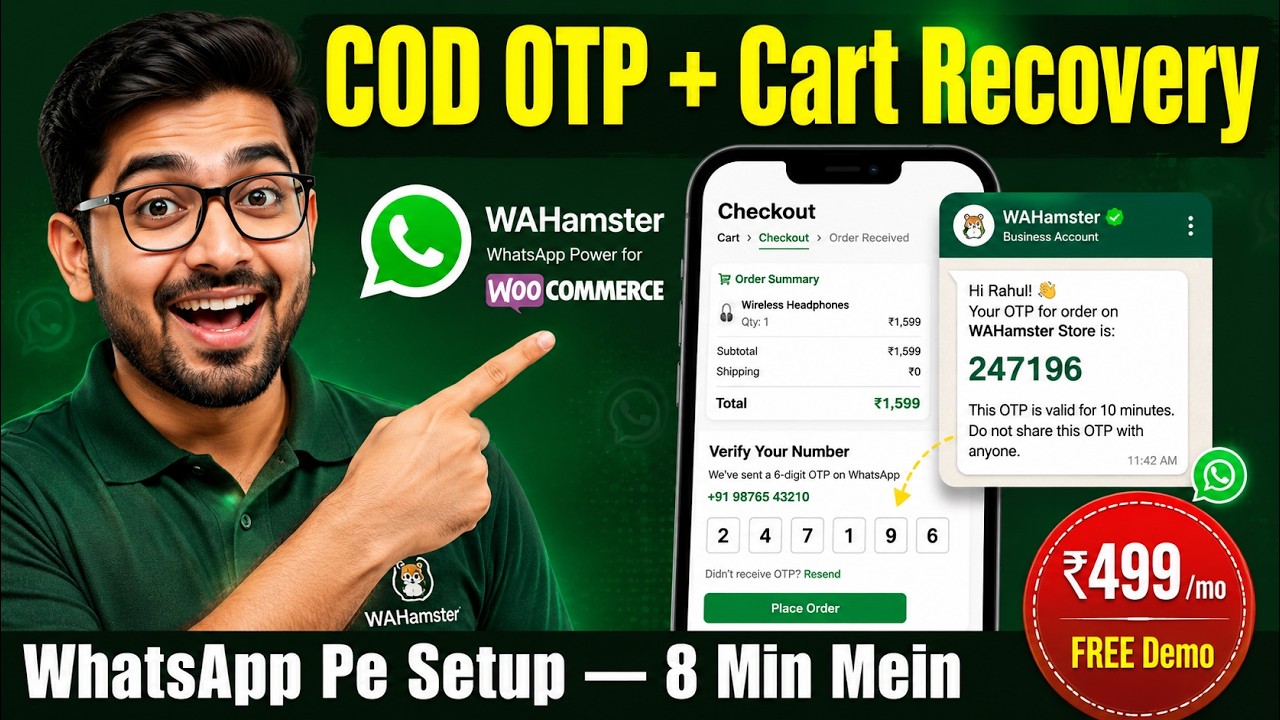
Prefer YouTube? Open the video on YouTube →
Up and running in three steps
Once your license is active and the .zip downloads from your panel, the whole flow is under five minutes.
-
01
Upload the plugin
In WordPress: Plugins → Add New → Upload Plugin, pick the .zip we issued, hit Install, then Activate. The .zip download appears in your WAHamster panel's Plugins sidebar the moment your license goes active.
-
02
Connect to your panel
Open the new WAHamster Woo menu — the wizard asks for your Panel URL, X-API-Key and X-API-Secret. Generate the keys from your panel's Settings → API Keys, paste them in, save.
-
03
Map your events
On the Automations tab, pick a Meta-approved template for each order status you want to automate. On the Cart Recovery tab, enable it and set a wait time. Done — orders now fire WhatsApp messages automatically.
Requirements
- – WordPress 6.0+
- – WooCommerce 7.0+
- – PHP 7.4+ (PHP 8.x recommended)
- – Active WAHamster panel subscription
- – At least one WhatsApp Business channel connected on the panel
- – One Meta-approved template per event you want to automate
- – Outbound HTTPS from your WordPress server (port 443)
Frequently asked
A WooCommerce store on WordPress 6.0+, an active WAHamster panel subscription, an active plugin license, and at least one Meta-approved WhatsApp template per order event you want to automate.
7-day demo free, ₹499 + GST / month, or ₹4,999 + GST / year (saves ~17% vs paying monthly). One license binds to your panel account and works across unlimited WordPress sites under it. WhatsApp's per-conversation fees are billed separately by Meta — we add no markup.
Yes — request the 7-day demo on WhatsApp. Full features, no credit card. After 7 days you can pay the monthly or yearly fee to keep the plugin live, or just stop using it.
From your WAHamster panel's Plugins sidebar. The "Download .zip" button appears the moment our sales team activates your license — usually within minutes of confirming payment on WhatsApp.
Open the plugin's Logs tab. Every send is logged with the Meta error code, the template name, and the exact JSON payload. The two most common causes are a template-parameter mismatch (Meta #132012 — click "Resync from panel") and a customer phone number without a valid country code.
Yes — as long as the checkout still uses WooCommerce's standard checkout hooks, which most page-builders just style. Heavily-customized one-page checkouts may need testing; tell us your stack on WhatsApp and we'll check.
No. Phone-capture is fire-and-forget (a single INSERT, ~5ms). Order-event sends happen after the order is created, never blocking the customer's checkout flow.